Stay focused with a timer that feels alive.
A delightful desktop tomato and menu bar timer that helps you beat distractions, conquer your to-do list, and finish your workday feeling accomplished.
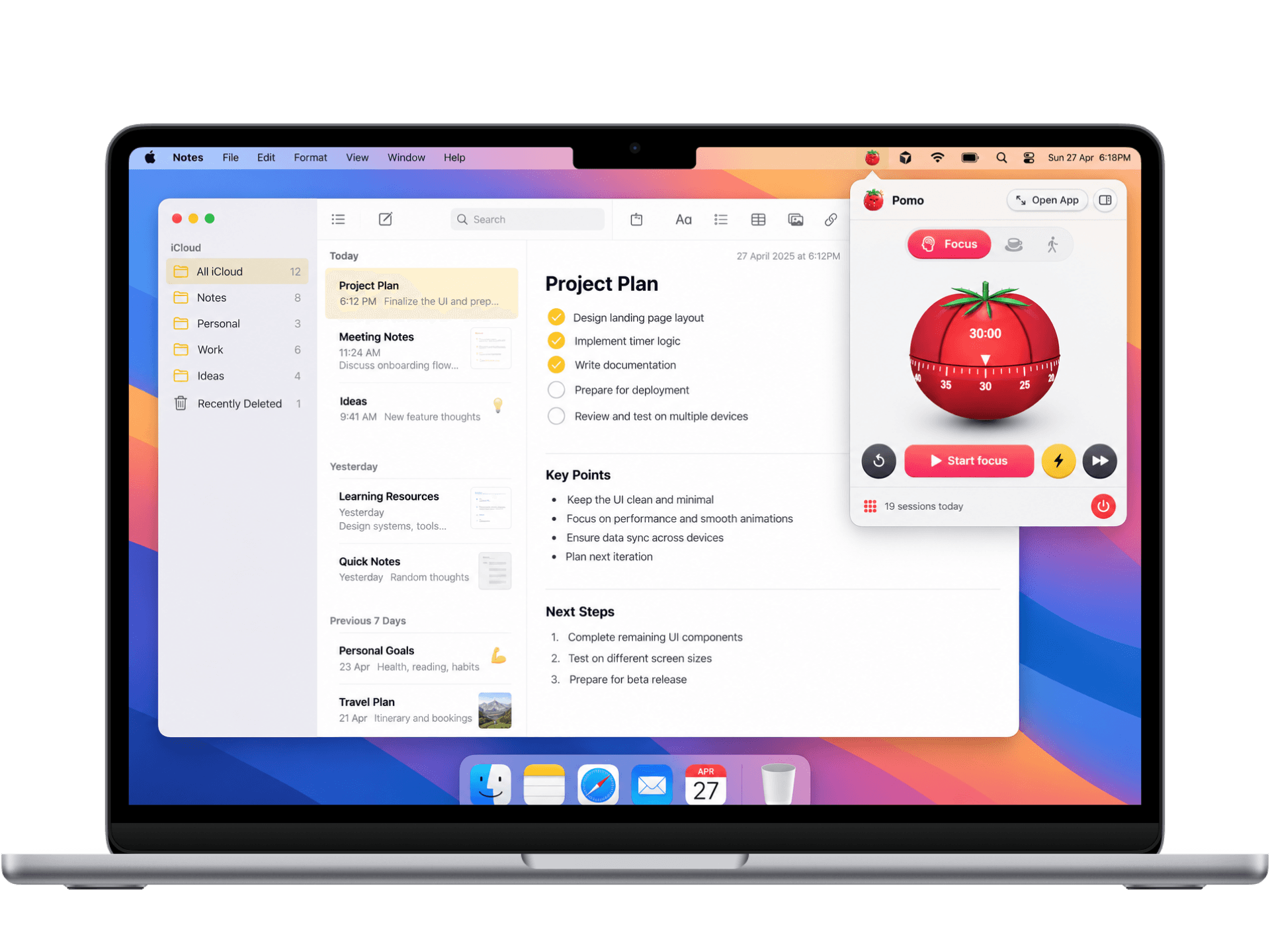
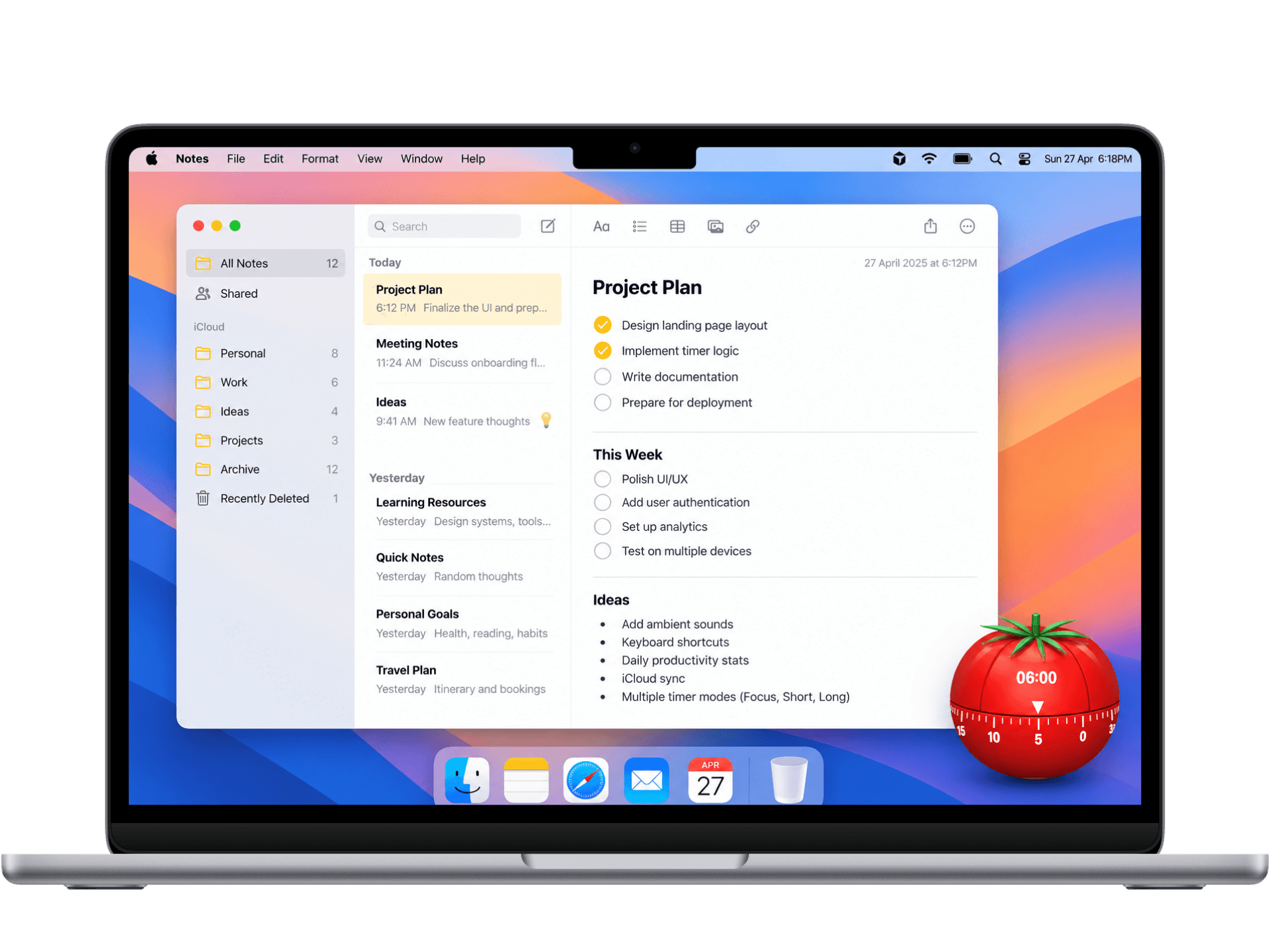

Real Tomato Feel
An interactive floating tomato on your screen that feels like a real desk timer.

Stats & Daily Goals
See your completed sessions and watch your focus streak grow every day.

Notes & Overtime
Jot down distractions without stopping, plus extra time to finish your thought.
Everything you need to stay in the zone.
- Pomo Menu
- Focus Sprint25:00
- Short Break05:00
- Long Break15:00
Today1Menu bar control
Start sessions, change modes, and check remaining time instantly from the top menu bar.
- Desktop Widget
 Focus Mode24:18Round 1 · 2/45m break nextDrag anywhereDock to Edge ⇥2
Floating tomato
Keeps a friendly timer on your desktop. Drag anywhere or dock to the edge of your screen.
- Pomo — Focus🎯 Finish design system
25:00
Set 12/4 Completed3Task window
Set your current focus goal, pick time presets, and track round dots (4 sessions per set).
Healthy Break
5 min rest · Step away
Stretch bodyDrink water20-20-20 RuleStep away📝 Distraction Pad1 saved note4Break ideas
Simple healthy prompts to stretch, rest your eyes, and step away so you recharge properly.
- Daily Summary🔥 5 day streak
4
/ 4 sessions1h 40m deep work
MTWTFSSAnalytics ›5Stats & streaks
View daily focus hours, completed session counts, and build a rewarding streak.
Preferences
macOS Native- Focus Duration25 min ›
- Short Break5 min ›
- Ticking Sounds
- Auto-start Next
6Sounds & settings
Customize session lengths, toggle mechanical ticking sounds, and enable auto-start breaks.
Feel the mechanical tomato timer.
Drag the dial to turn the timer, watch botanical ripening colors, and experience the harvest celebration pop.

25:00
How a standard 4-cycle round works.
Structured sprints with deliberate breaks to keep your energy high, eliminate procrastination, and prevent cognitive burnout.

Focus Sprint
25 min
Eliminate all distractions and lock into a single task with absolute clarity and momentum.

Short Breather
5 min
Step away from your screen, stretch, sip water, and let your working memory recharge.
Repeat 4 Sessions
1 Round
Cycle through four 25-minute sprints with 5-minute breathers to build a steady, unstrained rhythm.

Long Restoration
15–30 min
Celebrate a completed round with a longer restorative break before starting your next sprint.
The timeless technique, built for macOS.
Inspired by the world-famous Pomodoro method, redesigned with tactile macOS elegance to help you do your best work every day.
Invented by Francesco Cirillo in the late 1980s.
As a university student in Italy struggling with study fatigue and distractions, Francesco grabbed a simple tomato-shaped kitchen timer (pomodoro is Italian for tomato) and challenged himself to study with unbroken focus for just 10 minutes.
That simple experiment evolved into one of the world’s most celebrated productivity frameworks: 25 minutes of deep focus followed by 5 minutes of deliberate rest.

“Once a Pomodoro Begins, It Has to Ring.”
Overcomes Procrastination
A 25-minute sprint lowers the mental barrier to start. The timer creates gentle urgency without pressure.
Prevents Mental Burnout
Mandatory 5-minute breathers protect cognitive endurance, reduce eye strain, and keep energy consistent.
Builds Visible Momentum
Instead of measuring your day in exhausting hours, track progress in tangible harvested tomatoes.

Built for deep work and healthier desk habits.
- Productivity Power UsersMaster deep-work sessions with instant global hotkeys, menu bar controls, and zero tab clutter.
- Writers, Students & CreatorsLocks you into deep 25-minute sprints to conquer heavy focus blocks.
- Health & Posture-Conscious WorkersEnforces regular micro-breaks to stand, stretch, reset posture, and protect eye health.
- Privacy & Anti-Subscription MinimalistsBuy once, own forever. 100% offline & local with zero cloud tracking.

Frequently asked questions.
Everything you need to know about licensing, updates, and privacy.

Pay once.
Own it forever.
Lifetime Pomo access with one license key per purchase. Pick 1 Mac or 3 Macs — no subscriptions, no cloud tracking.
Personal
One Mac you use every day
- 1 Mac activation on 1 license key
- Floating desk tomato & menu bar companion
- Customizable focus sprints (25m, 45m, 50m) & breaks
- Daily harvest tracking & completed session rings
- Gentle tick audio, chime alerts & global hotkeys
- All future v1 updates included
Household
Up to three Macs on one license key
- Up to 3 Mac activations on 1 license key
- Floating desk tomato & menu bar companion
- Customizable focus sprints (25m, 45m, 50m) & breaks
- Daily harvest tracking & completed session rings
- Gentle tick audio, chime alerts & global hotkeys
- All future v1 updates included
How to install & launch Pomo
05 steps · macOS 13+
Get Pomo — $7.9901
02
03
Important04
05
- Open your purchase receipt email and click the instant Pomo.dmg download link
- Universal binary for Apple Silicon (M1–M4) & Intel (macOS 13+)
- Open the DMG file and drag Pomo into your Applications folder
macOS displays a standard prompt for direct web downloads. Pomo is 100% safe, verified, and offline.
- Option 1 (Terminal Command):Recommended
xattr -cr /Applications/Pomo.app - Option 2 (System Settings):System Settings → Privacy & Security → click Open Anyway
- Launch Pomo and enter your license key to unlock your timer
- Optionally configure sprint durations and break audio in Settings
- Click the menu bar tomato icon or use global hotkeys to start a sprint
- Enjoy an authentic, 100% distraction-free desk companion
01
Download- Open your purchase receipt email and click the instant Pomo.dmg download link
- Universal binary for Apple Silicon (M1–M4) & Intel (macOS 13+)
02
Install- Open the DMG file and drag Pomo into your Applications folder
03
ImportantFirst launchStandard macOS Gatekeeper NoticemacOS displays a standard prompt for direct web downloads. Pomo is 100% safe, verified, and offline.
- Option 1 (Terminal Command):Recommended
xattr -cr /Applications/Pomo.app - Option 2 (System Settings):System Settings → Privacy & Security → click Open Anyway
04
License setup- Launch Pomo and enter your license key to unlock your timer
- Optionally configure sprint durations and break audio in Settings
05
Ready to focus- Click the menu bar tomato icon or use global hotkeys to start a sprint
- Enjoy an authentic, 100% distraction-free desk companion

Master your daily focus and
do your best work.
The authentic, distraction-free Pomodoro desk companion for macOS. Lock into deep 25-minute sprints, protect your stamina with timed breaks, and own it forever.
From $7.99 (1 Mac) or $12.99 (3 Macs) · Apple Silicon & Intel · 100% Offline